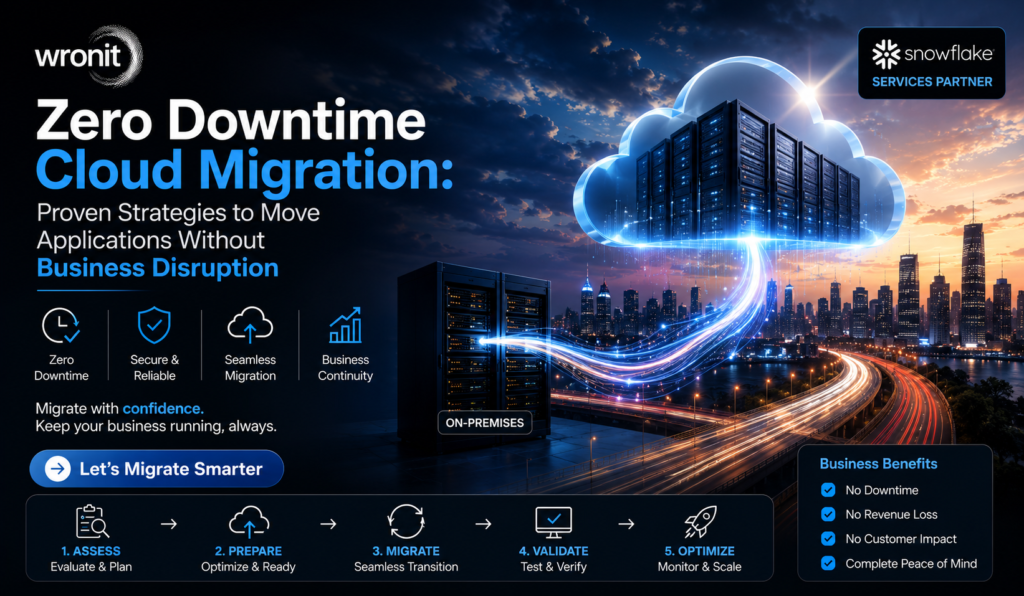
Zero Downtime Cloud Migration: Proven Strategies to Move Applications Without Business Disruption
By Maneesh Jha
“If your customers notice the migration, you’ve done something wrong.” A cloud architect said this at a migration workshop years ago, and it still sums up the goal of every successful project. Businesses purchase new technology to enhance operations, not to disrupt them.
If you’re planning a Cloud Migration, then don’t start with which cloud platform is better. Ask another question: How do we move critical applications without business disruption?That’s the dilemma many organisations face in the United States. Sales platforms, ERP systems, customer portals, finance applications, and internal collaboration tools support daily operations. Taking them off-line for several hours or even a few minutes can impact revenue, employee productivity, and customer confidence.The good news is that downtime doesn’t have to be part of a migration. A good cloud migration strategy enables businesses to migrate applications in phases, test changes before production, and maintain service availability throughout the transition. Planning is important, but execution protects business continuity.
Downtime costs more than most teams realise
When the word “downtime” is mentioned, people usually think of sites going down. The effect is often much broader.Picture a distributor who can’t access inventory systems during business hours. Orders get bottlenecked, warehouse staff lose visibility, customer service cannot answer delivery questions, and finance teams cannot process invoices. The technical challenge quickly becomes a business challenge.That’s why seasoned migration teams have a different definition of success. The project is incomplete just because applications landed in the cloud. It’s successful because employees and customers kept working without much of a break.
Why Zero Downtime Migration Demands More than Good Technology
Cloud providers offer powerful tools, but the technology itself doesn’t prevent disruption.The key to smooth migration is preparation, communication, testing, and timing.Teams need to understand before any workload is moved:
What are the mission-critical applications
How systems are connected
High use: when the use is in
Which workloads can move first?
If something unexpected should happen
Those answers will have a much greater impact on the migration process than the cloud platform itself.
Practical Approach to Keep Your Business Moving
Every migration project is different, but the most successful ones follow a similar process.
Assess Before You Move
The first step is to know the current environment.Review applications, databases, storage, security policies, integration, and network dependencies. Many organisations have legacy systems that still support critical business processes.To identify those connections early, and to avoid surprises later.
Workloads First
Not all applications have to move the same day.Start with the systems with the lowest operating risk. Common examples include internal tooling, development environments, or non-critical workloads.This allows IT teams to test the migration process before migrating customer-facing applications.
Leverage Continuous Data Replication
Instead of shutting down systems and copying everything at once, many organisations use replication.Users remain productive while data is synchronised between the cloud and the existing environment. Once testing is completed and all is well, the traffic is migrated over to the new environment with minimal downtime.This way, downtime is drastically reduced compared to traditional migration methods.
Migration Approaches at a Glance
Migration Method
Best Used When
Business Impact
Gradual Migration
Organizations with many business applications to move
Reduces operational risk by migrating in stages
Pilot Transfer
Testing a new cloud environment before a full rollout
Helps identify and resolve issues early
Mass Migration
Small and straightforward IT environments
Completes migration quickly but involves higher risk
Hybrid Migration
Legacy systems need to remain on-premises during the transition
Provides greater flexibility while moving to the cloud
For most growing businesses, the right combination of speed and stability is a phased approach.
Test Before Customers Do
Almost every successful migration project seems to have one lesson in common.Testing is a time saver.Teams often concentrate on whether applications launch successfully in the cloud. But that’s only part of the picture.A proper test process also tests:
User Rights
Database performance;
Third-party integrations
API links
Backup and recovery
Network delay
For example, a finance application might work perfectly during testing with five users, but when two hundred employees access it simultaneously, it might slow considerably.It’s a win-win for customers and employees to catch that problem before production.
Build a Rollback Plan Before Migration Starts
One simple question should be answered by every migration plan.What happens if something doesn’t work?Rollback planning does not mean the migration will fail. This is part of responsible project management.If performance drops or the application does not behave as expected, teams should be able to roll back to the prior environment quickly as they investigate the problem.Knowing that there is an option gives both the leadership and technical teams more confidence during deployment.
Security Cannot Wait Until After Migration
Cloud security is what happens before the first workload goes over.Access policies, encryption standards, identity management, and compliance requirements should have been documented during the planning stage.Healthcare, finance, legal services, or retail businesses may have additional regulatory obligations. These requirements should be reviewed before migration commences, not when applications are already running in production.A safe migration is normally the result of good preparation, not last-minute configuration.
Where Businesses See the Biggest Benefits
A successful Cloud Migration delivers benefits beyond the infrastructure.Cloud environments offer scalable resources, which allow teams to deploy updates faster.Remote employees have secure access without needing office hardware.IT departments spend less time keeping ageing servers running and more time supporting business initiatives. Many organisations also automate repetitive business processes using (Robotic Process Automation) RPA services after migration, helping improve efficiency, reduce manual work, and increase productivity. Not to mention, organisations become more resilient with better backup options and disaster recovery planning.These advantages are the reason cloud modernisation continues to be a priority for businesses all across the United States.
Choosing Cloud Migration Services
Technology is important, but experience is what usually makes the difference.If you are comparing cloud migration services, ask the providers about their approach to business continuity and not just technical deployment.A good partner will explain:
How migration risks are detected
Which workloads to migrate first
How testing is carried out
What help is available after migration
How security and compliance are managed
A structured migration process is often indicated by clear answers.
Conclusion
Cloud Migration Success Is Not About How Fast You Get Applications to the Cloud; it is measured by how well the business continues to function during the process.Organisations reduce unnecessary disruption and build a stronger foundation for technology by assessing their environment, migrating in phases, testing thoroughly, and preparing rollback plans. A well-planned cloud migration also prepares businesses for future technologies, making it easier to adopt ML & AI Solutions and Generative AI as business needs evolve. If your business is looking to move applications to cloud environments, choosing experienced professionals and a structured strategy will help protect operations while supporting future growth.
FAQ’s
Can you move to the cloud without any downtime?
Yes. Phased migration, continuous data replication and extensive testing allow organisations to move applications while keeping services running for users.
Why does moving to the cloud cause downtime?
Common reasons for business migration outages are unknown application dependencies, poor testing, lack of planning and rollback procedures.
Do you migrate all at once or piece by piece?
Phased migration reduces operational risk to most organisations, as each stage can be validated by teams before progressing on to more critical business applications.
Why is testing important before migration?
Testing helps ensure application performance, user access, integrations, and security settings are tested before moving workloads to production, reducing the likelihood of unexpected business disruption.
Do Businesses Need Cloud Migration Services?
Experienced providers assist organizations with managing migration risks, improving planning, strengthening security, and delivering cloud projects with minimal disruption to daily operations.
With 11+ years of experience in enterprise technology, AI, Machine Learning, Data Engineering, Cloud, Automation, and Software Product Development, he helps businesses and startups turn complex technology challenges into scalable solutions that drive innovation and growth.