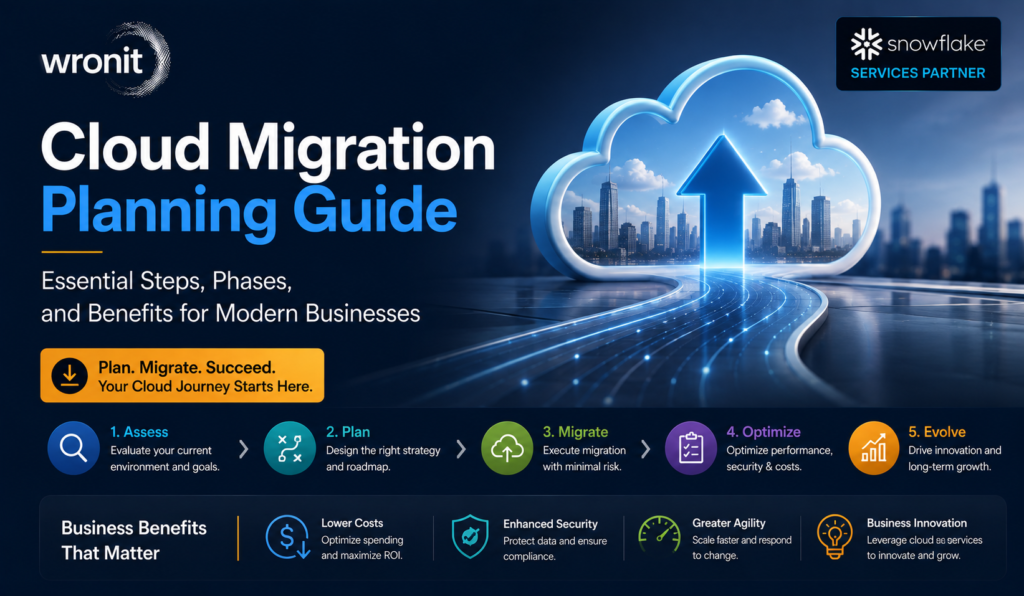
Cloud Migration Roadmap: Strategy, Phases, and Business Benefits
By Maneesh Jha
Cloud technology is a business decision, not an IT fad. Whether it’s expanding their footprint, supporting remote teams, or modernizing legacy applications, cloud adoption is now baked into long-term growth planning for companies. Industry reports show that businesses are rapidly moving away from traditional infrastructure, with more than 90% of organizations globally adopting some form of cloud services. Companies throughout the United States have transitioned from the question of whether to migrate to how to migrate successfully.And this is where a well-laid-out Cloud Migration roadmap becomes valuable. There are rarely one-step processes for moving applications, databases, and workloads to the cloud. Every business has its own systems, security needs, budgets, and operating goals. A structured roadmap helps to reduce uncertainty, keep projects on track with business objectives, and allows organizations to modernize their IT environment without introducing unnecessary disruption.” Successful businesses don’t rush the move, but pay close attention to planning, phased execution, and ongoing improvement.
What Is Cloud Migration?
Cloud migration is the process of moving digital resources from on-premises infrastructure to the cloud. These assets can be applications, data, storage, virtual machines, or even business workloads.For some organizations, migration is moving everything to a public cloud platform. Some choose a hybrid model that leverages existing infrastructure and cloud services. Others employ multiple cloud providers to gain flexibility and to avoid depending on a single cloud platform.It’s not just moving data around. A successful migration results in a more scalable, secure, efficient, and manageable IT environment that can adapt to evolving business needs.
Why Businesses Are Investing More in Cloud Migration
Business technology changes quickly, and so should infrastructure. Traditional data centres require ongoing hardware upgrades, maintenance, and dedicated resources. Scaling these systems efficiently can be challenging as organizations grow.Cloud environments are more flexible. Businesses can scale computing resources up or down as needed, instead of purchasing physical hardware. Another advantage is the ability to use Data Analytics tools that turn business data into meaningful insights, helping leaders make informed decisions more quickly. Here are some of the top reasons for organizations pursuing a cloud migration strategy:
Enabling Business Growth Without Expanding Physical Infrastructure
Improving business continuity & disaster recovery plans
Enabling remote and hybrid work environments
Enhanced security and compliance capabilities
Lowering long-term operational complexity
Speeding up digital transformation projects
Many organisations don’t think of cloud migration as a technology project. It’s become a lever of business innovation, customer experience, and operational effectiveness.
Building a Cloud Migration Strategy
The migration process should not be driven by technology. Business objectives are the foundation of successful projects.Organisations should state their goals clearly before moving workloads. Some will look at bringing down infrastructure costs, some will look at performance gains, and some will look at application modernisation.A practical cloud migration strategy usually includes some important considerations:
Survey Existing Infrastructure
List out the applications, database services, servers, and workloads you have. Knowing dependencies helps you catch potential migration problems before they become expensive issues.
Define Business Priorities
Not all applications have to move at once. Identify the systems that will provide the most business value and identify the workloads to migrate first.
Assess cloud readiness
Some applications can be moved to the cloud as-is, while others need to be re-engineered or modernised. Early evaluation for compatibility reduces unforeseen delays.
Define security and compliance requirements
Each migration should have well-defined security policies, control of access, encryption standards, backup strategies, and regulatory compliance considerations.
Create a Realistic Timeline
Large-scale migration projects rarely succeed when everything moves at once. Phased timelines allow organisations to monitor performance, identify issues early, and lower operational risk.
Five Phases of a Cloud Migration Roadmap
Every organisation’s journey is different, but most successful cloud migration projects have five common phases.Phase 1: EvaluationThe first stage is about understanding the current IT environment.Teams evaluate applications, infrastructure, business processes, security needs, and current performance to assess readiness for migration.Main activities:
Infrastructure evaluation
Application inventory.
Risk Assessment
cost assessment
Business alignment
Later migration decisions are often harder without this foundation.
Phase 2: Planning
Planning translates business objectives into a roadmap for action.In this phase, organisations define migration priorities, allocate budgets, assign responsibilities, and select appropriate cloud services.Common planning activities include:
Migration sequence
Timeline construction
Resource planning
Planning for security
Backup and recovery planning
Good planning minimises unexpected downtime during implementation.
Phase 3: Migrate
This is the point of inflection where workloads start to move to the cloud.
Some companies migrate application by application, others move entire environments in stages. Regular monitoring will help to identify issues before they impact the business operations.
Testing is still a key part of this phase to validate that systems are still functioning as designed.
Phase 4: Testing and Validation
Migrating workloads to the cloud is only one part of the picture. Before the project can be declared complete, each migrated application should be tested in real operating conditions.This phase confirms that systems work as intended, users can access applications seamlessly, and security controls are still operational. Teams also run tests on backups, integrations, and network performance to make sure the new environment will support daily business activities.Typical validation activities are:
Performance test
Security check
User acceptance testing
Testing of application functionality
Disaster recovery and backup testing
It is much easier to find small problems during testing than it is to find them after the migration is complete.
Phase 5: Optimization
Migration is not the end.When workloads are running in the cloud, businesses should keep reviewing performance, resource consumption, and operational costs. Flexibility is one of the benefits of a cloud environment, but a cloud environment needs to be managed regularly to ensure that resources are being utilised efficiently.Optimisation often consists of the following:
Cloud performance monitoring
Tweaking resource allocation
Better security policy
Monthly costs of cloud review
Automating routine administrative tasks
Continuous improvement can help organisations realise the full value of their cloud investment.
Common Cloud Migration Approaches
Different migration methods are needed for different applications. The best approach depends on business priorities, timelines, and technical requirements.
Migration Method
When Best Used
Typical Benefit
Lift and Shift
Priority = fast migration
Fast deployment with minimal changes
Replatform
Small improvements required
Better performance without having to rebuild all
Refactoring
Apps need modernising
More scalable and cloud-friendly
Share repurchases
Transitioning to SaaS solutions
Less infrastructure management
Retirement Leave
Applications have no value anymore
Reduced maintenance expenses
Continued
Some systems are on-premises
Supports hybrid cloud environments
Generally, no one migration approach suits all workloads. Many organisations employ a combination of approaches in the same project.
Business Benefits of Cloud Migration
A well-executed cloud migration project provides value beyond infrastructure improvements.
More Scalability
As business needs change, cloud resources can scale up or down, allowing organisations to respond more quickly without the need to make hardware investments.
Increased operational efficiency
IT teams spend less time managing physical infrastructure and more time enabling innovation, automation, and business initiatives.
More Resilient Business Continuity
Today’s cloud platforms provide backup, redundancy, and disaster recovery features that minimize downtime in the event of unforeseen circumstances.
Improved Cost Management
Often, rather than buying a lot of hardware up front, businesses can line up technology spending with actual use.
Improved Collaboration
These cloud-based applications allow employees to work securely from anywhere and access the same business resources.
Accelerating Innovation
Organizations can deploy new applications, test services, and launch projects at a speed that traditional infrastructure often cannot.
Common Mistakes Businesses Should Avoid
Poor planning can even cause a well-planned migration to hit snags through missed details.Here are some of the more frequent mistakes:
Starting migration without clear business goals
Misestimating application dependencies
Bypassing performance testing
Neglecting training of staff
Just thinking about migration, not long-term optimization
Assuming all workloads should move instantly
Successful migrations are rarely rushed.
Conclusion
Every business has its own reasons for moving to the cloud, but the organizations that see the strongest results typically have one thing in common – they treat Cloud Migration as an ongoing business initiative, rather than a one-time technology project. Often, careful planning, realistic timelines, and clear business objectives make a bigger difference than just picking the latest cloud platform.A well-defined cloud migration roadmap enables organizations to migrate with more confidence and avoid unnecessary disruption along the way. If you want to increase scalability, support digital transformation, strengthen security, or create a more flexible IT environment, the path to success is usually one well-planned step at a time. Organizations that favor strategy over execution are more likely to be agile, scalable, and able to leverage their cloud infrastructure for years to come.
FAQ’s
What is Cloud Migration?
Cloud Migration is the process of moving applications, data, and workloads from traditional infrastructure to cloud environments. It is a process of improving flexibility, scalability, and operational efficiency.
How much time does a cloud migration project typically require?
How long this takes depends on the size of the business, how complicated the application is, and what the goals are for the migration. Smaller projects may take weeks. Larger enterprise migrations can take many months.
How do Data Engineering services support cloud migration?
Professional Data Engineering services prepare, organize, and optimize data before migration, helping businesses improve data quality, integration, and performance in cloud environments.
What is the biggest challenge in Cloud Migration?
The planning is often the hardest part. “Knowing the dependencies of the application, the security requirements, and the business priorities significantly reduces the risks of migration.
Can some systems remain on-premises?
Sure. A lot of organizations opt for a hybrid cloud where some workloads remain on-premises, and others move to cloud platforms.
With 11+ years of experience in enterprise technology, AI, Machine Learning, Data Engineering, Cloud, Automation, and Software Product Development, he helps businesses and startups turn complex technology challenges into scalable solutions that drive innovation and growth.